SCENE 01 · TAKE 100:00:00:00
From the new paper to the post you sign.
PeerReel is a desktop app. It shows you what's new in your fields and helps you turn it into posts, carousels and videos in your own brand. Every figure, tied to its real source.
It does the first four with you. The fifth, publishing, is yours.
€90one-time payment
One year of access. No subscription, no credits that run out halfway through the month.
1/4 · SCENE 02 · 00:01:12
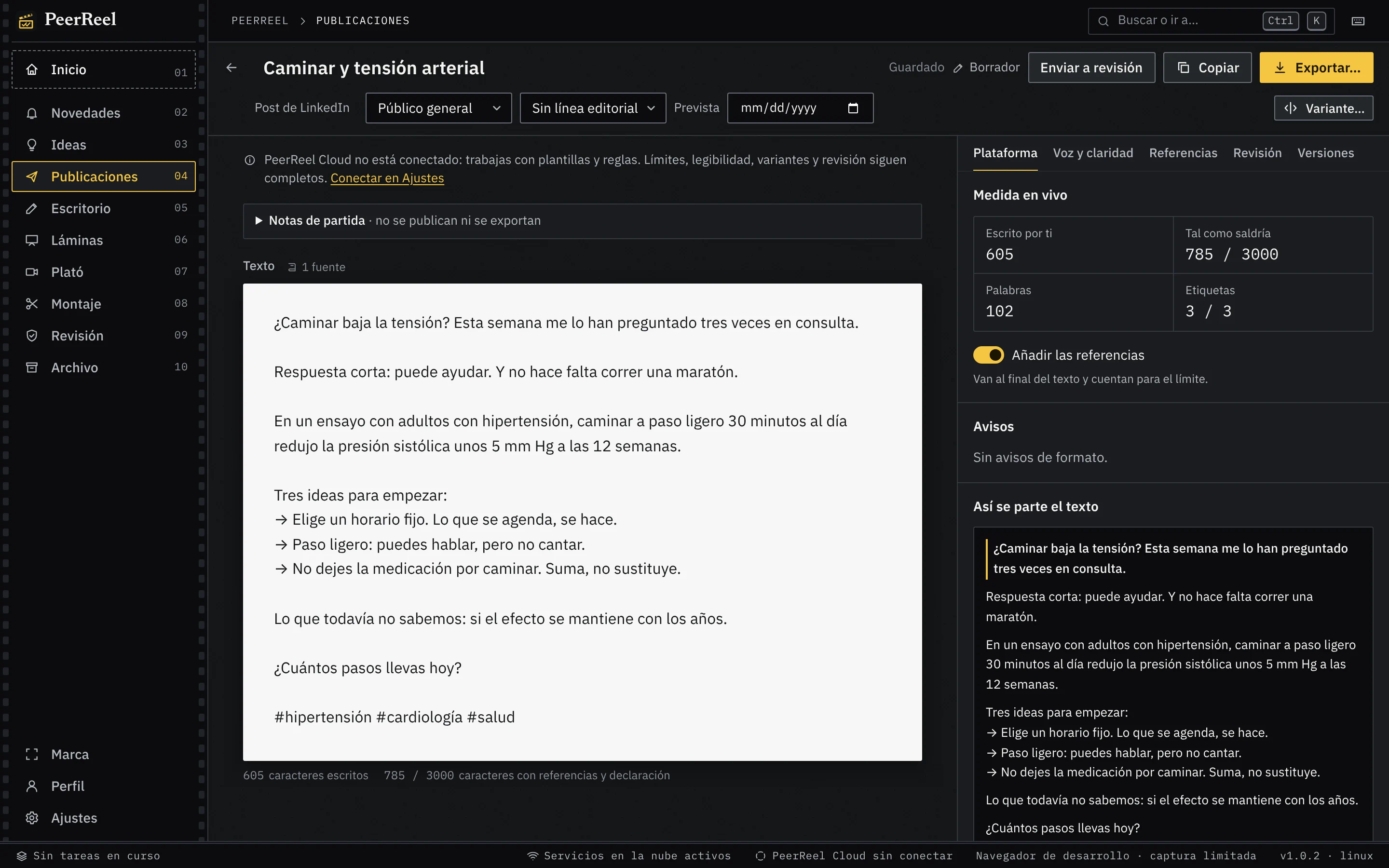
Writing without a blank page.
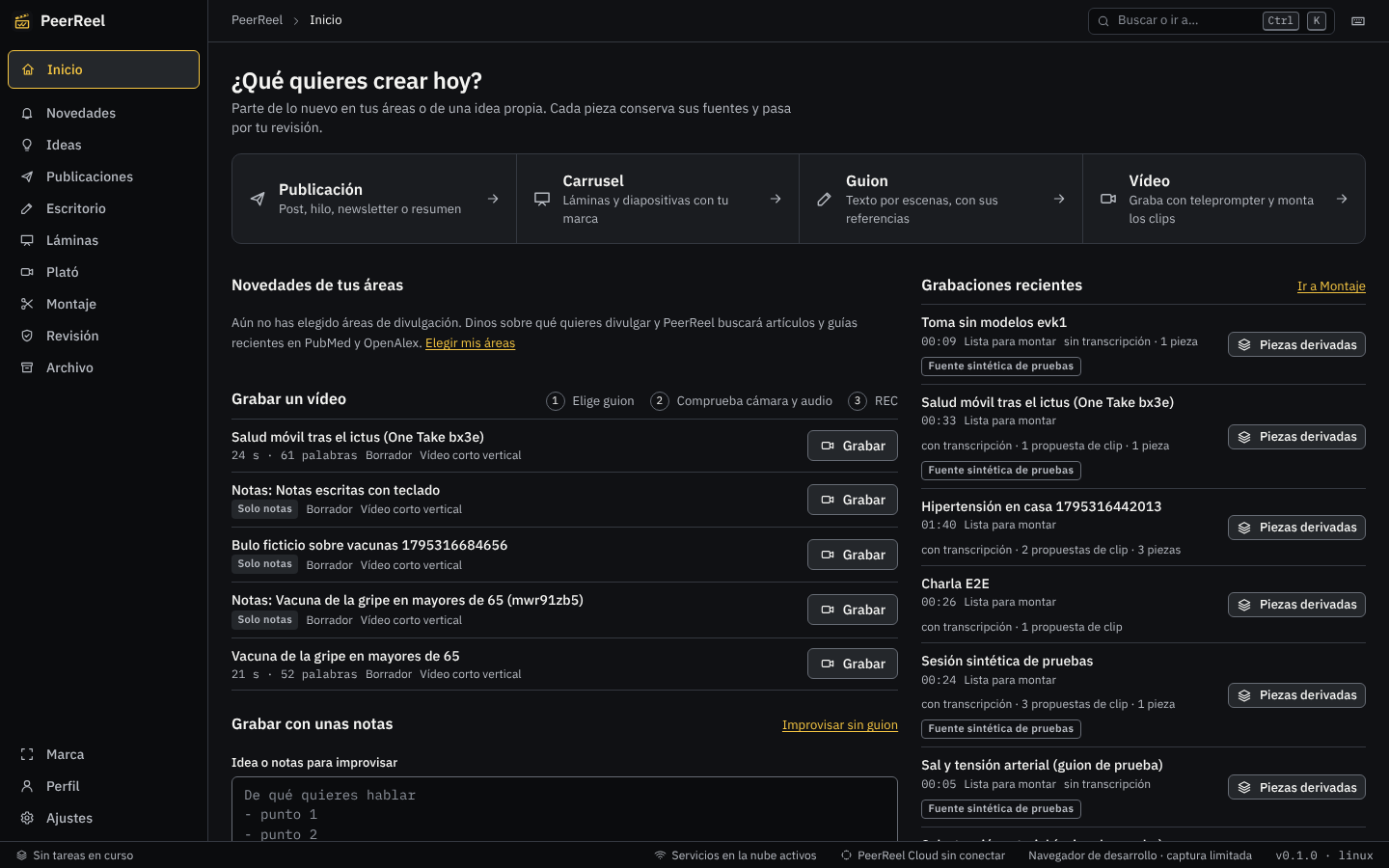
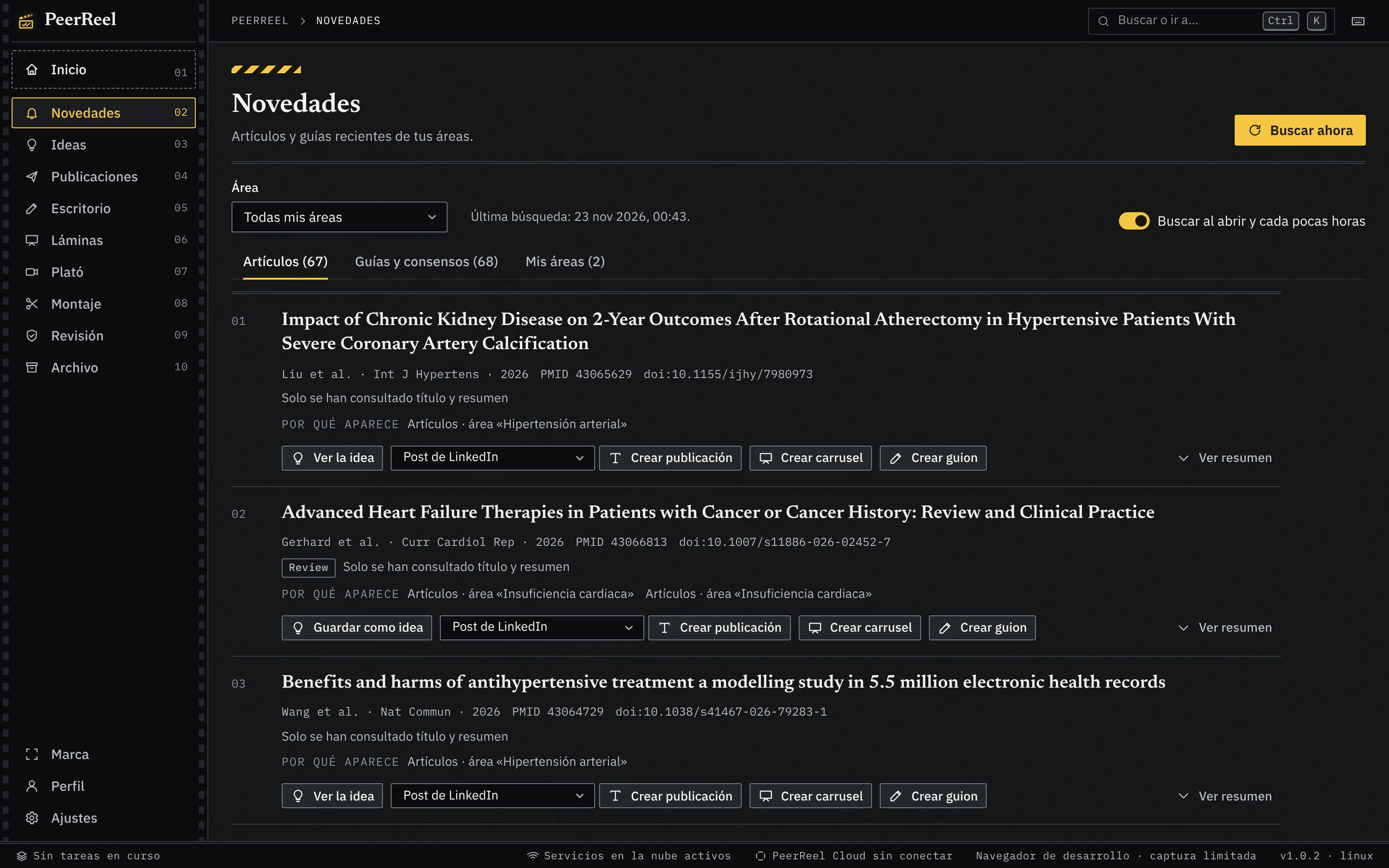
Look: when you open the app, what's new in your fields is already waiting. Pick a paper and turn it into your post. Or a thread. Or this month's newsletter.
- What's new in your fields. Recent papers and guidelines, and why each one shows up.
- A post for every network. LinkedIn, Instagram, X or Facebook. Threads and newsletters too.
- In your voice. Not a leaflet's.
- No length surprises. It warns you when you go over the character limit, before the network cuts you off.
- Your ideas, saved. What you don't publish today waits on your board for tomorrow.
2/4 · SCENE 03 · 00:02:30
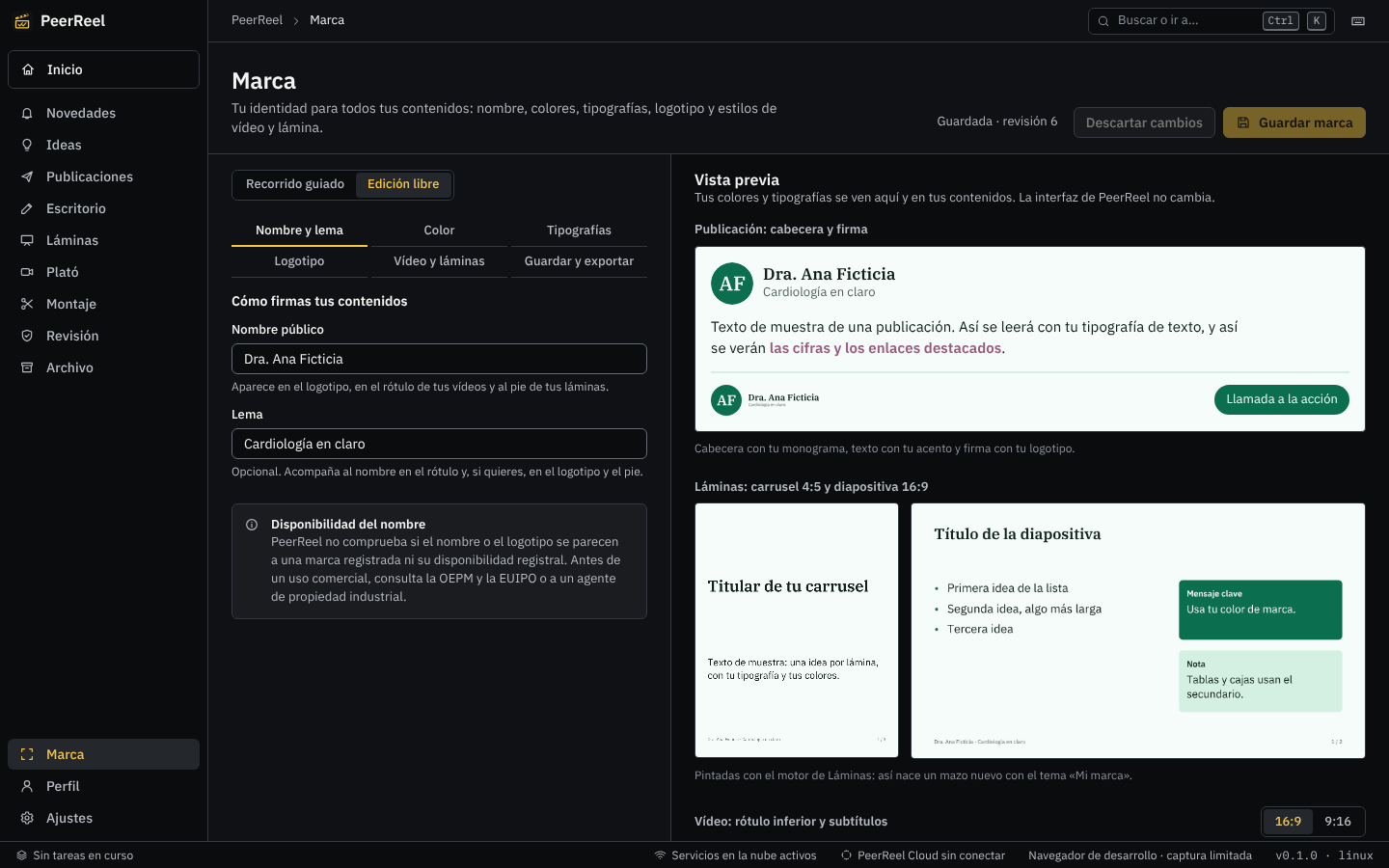
Designing plates. Like anatomy plates, only yours.
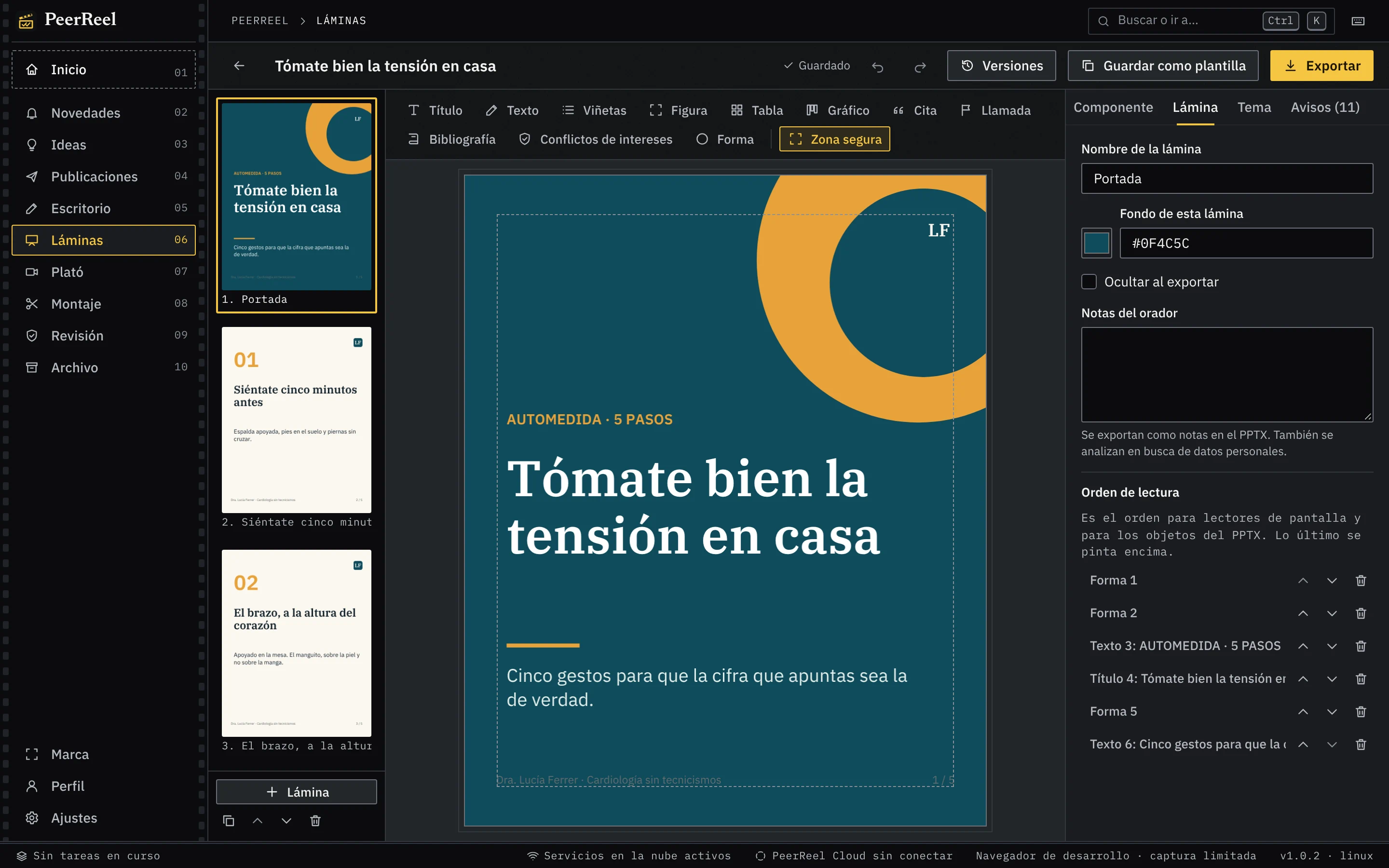
Plates used to mean anatomy. Yours are carousels and slides. Set up your brand once and it applies itself to everything.
- Your brand, once. Colours, typefaces and logo. Then you stop thinking about them.
- Carousels in your style. From text to design, plate by plate.
- The slides for your next talk. Those too.
- Export your way. As images, as a PDF or as a PowerPoint you can keep editing.
3/4 · SCENE 04 · REC 00:04:10
Shooting with a teleprompter. Editing without an editor.
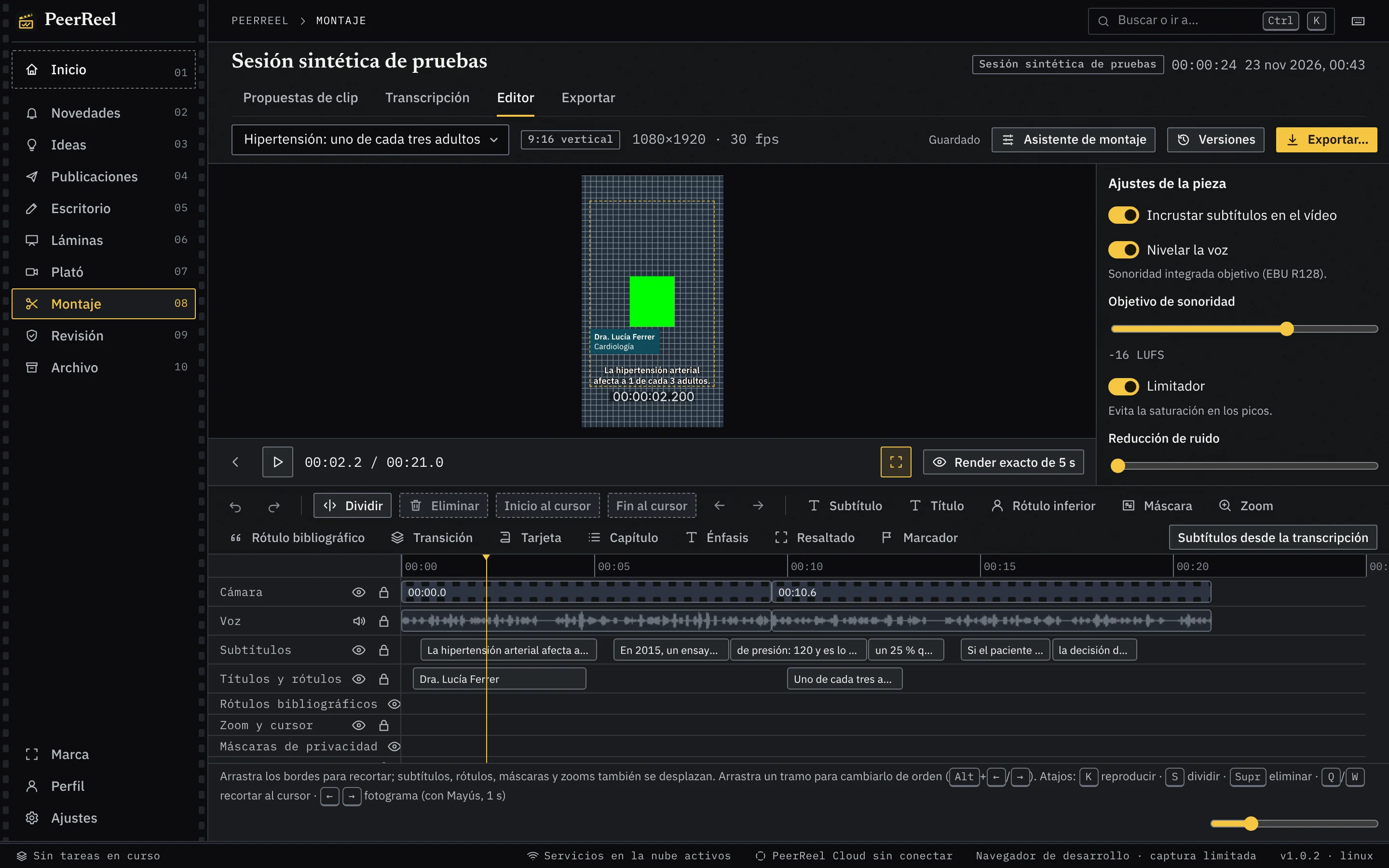
You write the script scene by scene and read it while you record. Then the app edits the video for you. You just review it.
- Scripts by scene. With the references attached to each sentence.
- A teleprompter while you record. Eyes on the camera, not on your notes.
- No more pauses and filler words. The app takes them out.
- Branded subtitles and captions. Transitions, and the reference on screen.
- Short clips. It suggests the best moments for each network.
- Not on camera? Skip this chapter. Everything else works the same.
4/4 · SCENE 05 · 00:05:20
Checking every figure. Before anyone else does.
Ask a chatbot for references. It gives you five. Two don't exist. And you find out when a colleague points it out in the comments. In public. Here, a reference only exists if it's real[1] or if you added it yourself.
- Every figure, with its source. Attached to the sentence, not in a list at the end.
- If one is missing, it tells you. Before you publish, not after.
- If you change the text, it asks you to review it again.
- If a paper you cited is retracted, it can let you know.
- The final word is yours. The app signs off on nothing without you.
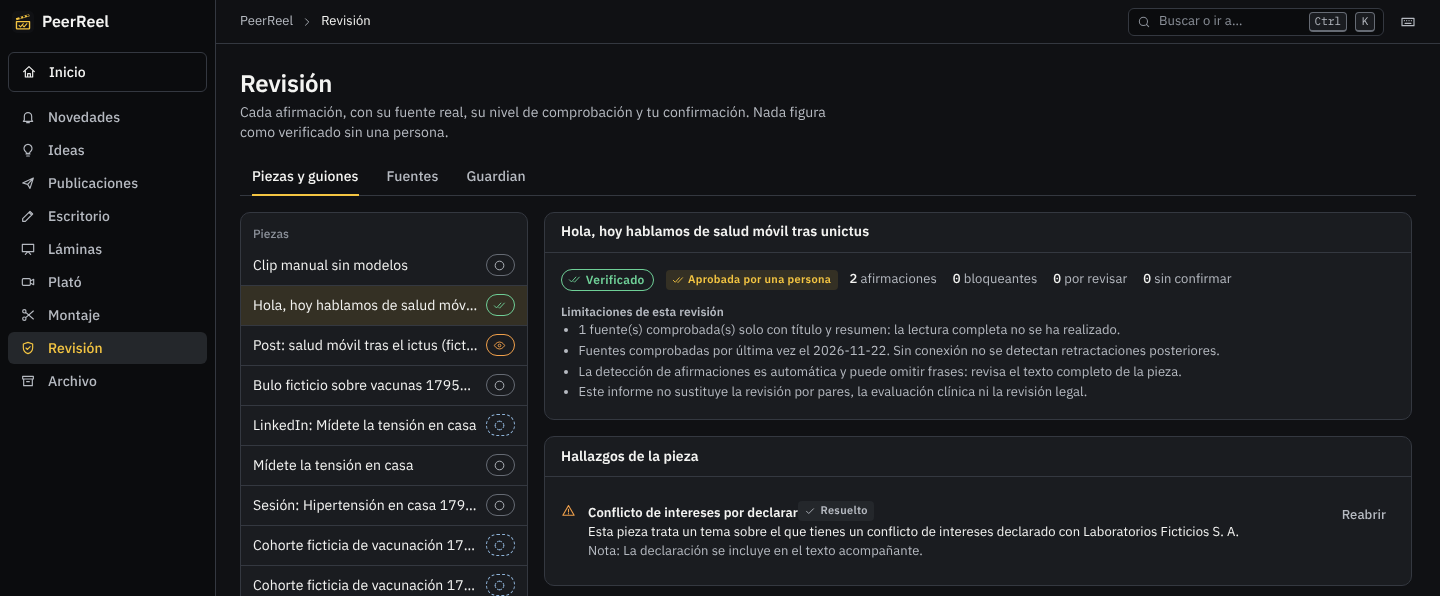
- [1] Real: with its DOI or PMID, found in the public scientific databases. ↩
Screenshots of the real app in its Spanish version (it also runs in English), with made-up sample data: Dr Lucía Ferrer does not exist and the post's source is fictitious. The papers in What's new are the ones PubMed returns.
It isn't for everyone.
It's for the doctor, nurse, physio, pharmacist or junior doctor who shares science and has a name to look after. Who posts rarely because every post costs an afternoon, not because they have nothing to say.
If you want to post anything three times a day, this isn't for you. It will slow you down.
If you're after an avatar to talk for you, it isn't either. This is you. With your face or without it, but you.
SCENE 06 · LAST TAKE
Say it with me.
- Writing
- Designing
- Shooting
- Checking
- and publishing
Clap: published. By you.
€90one payment · one year
PeerReel does the first four with you. The fifth is yours: hitting publish.
Buy it and you win back your Sundays. Don't buy it and you keep €90. And next Sunday you're hunting again for the DOI you didn't write down.
Both are fine. Your call.
PS: If you share science without sources, don't buy it. It will nag you far too often.
What you're wondering.
Do I have to be on camera?
No. Video is just one option. You can live on posts and carousels without ever switching on the camera.
Does it publish for me?
No. It gets the text and the files ready. Hitting publish is up to you.
Does “verified” mean what I say is correct?
No. It means the sentence has been checked against its source and that you have approved it. Clinical judgement is still yours. As always.
Can I put patient data in it?
No. PeerReel is for public communication, not for clinical records. The text you generate goes through cloud services. If it spots something that looks like personal data, it warns you before sending it. But you make the call.
Which computers does it run on?
Windows, Mac and Linux. Download it here and paste your licence when you open it. The app comes in English and Spanish.